Outfit Creation Basics
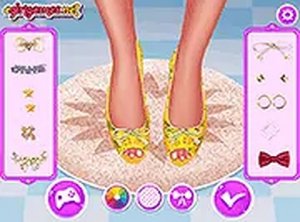
Creative Wardrobe Playhouse centers on selecting garments and accessories from a visual menu. Players can browse categories such as tops, bottoms, footwear, and headwear, then apply them to a character model. The interface uses simple point-and-click or touch controls, making it easy for young children to navigate. Each item can be swapped at any time, encouraging trial and error without penalty. This open-ended approach allows users to experiment freely, building confidence in their design choices.
Visual Style and Atmosphere
The game adopts a bright, cheerful color palette with soft edges and friendly character proportions. Patterns include stripes, polka dots, and floral prints that evoke a cozy, nostalgic feel. The background remains simple so the outfits stay the focus. This aesthetic supports a calm, low-pressure environment where creativity can flourish. The overall presentation feels welcoming to players of all ages, especially those new to digital creativity tools.
Controls and Accessibility
All interactions rely on dragging items onto the character or tapping to select and apply. The game runs directly in a web browser on desktop computers, tablets, and smartphones. No downloads or installations are required, and there are no in-app purchases or advertisements that interrupt play. The simple control scheme means even pre-readers can participate with minimal adult assistance. This design makes the game accessible in classrooms, libraries, or at home.
Sharing and Personal Gallery
Once an outfit is complete, players can save their creation to a personal gallery within the game. Some versions may allow sharing with friends or family through a link or image export. This feature lets users build a portfolio of their favorite designs over time. It also provides a way to reflect on progress and revisit past ideas. The sharing option is designed with safety in mind, avoiding direct social media integration or public feeds.
Compatibility
✅ Works on PC & Mobile | Recommended: Chrome / Safari / Edge










Player Comments
Sign in to comment
You must be logged in before posting a review or rating.
No account? Create one
No comments yet. Be the first to comment!