Neon Darts Precision Game

Skill Precision Aiming Casual Sports Arcade
Neon Darts Precision Game
121
Developer: Metrobyte Studios
Published: 2025-02-07
Updated: 2026-06-27

Reviews

Neon Darts Precision Game offers a fresh and colorful twist on traditional dart games. The neon board is visually appealing, and the variety of game modes like 301, 501, Around The World, and Baseball keeps the experience engaging. Controls are responsive on both mouse and touch devices, making it easy to play anywhere. It is perfect for casual players looking for a quick game or friendly competition. The free, no-download access is a big plus.

Description

Game Introduction

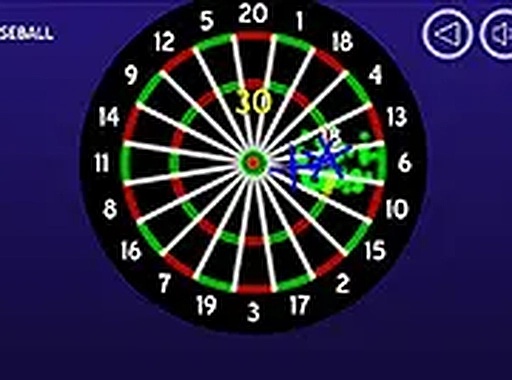
Neon Darts Precision Game brings the classic dartboard experience into a modern, colorful setting. The board glows with neon lights, making each throw feel exciting. You can pick from several game modes, each with its own rules. In 301 and 501, players start with a set score and subtract points by hitting numbers. Around The World challenges you to hit every number in order. Baseball mode adds a unique twist with innings and runs. The game tracks your score automatically, so you can focus on aiming. It runs smoothly in any browser without downloads or installations. Whether you have a few minutes or want a longer session, Neon Darts offers quick fun and friendly competition.

How to Play

To play, use your mouse on a computer or your finger on a touch screen. Aim by moving the cursor or your finger toward the target on the dartboard. Tap or click to throw the dart. Before starting, choose a game mode from the menu. Each mode has clear rules shown on screen. For example, in 301, you must reach exactly zero to win. In Around The World, you must hit numbers 1 through 20 in order. The game keeps your score and shows your progress after each throw. You can also switch to full screen for a larger view. The controls are simple and responsive, so you can start playing right away.

Game Features

Features include a neon dartboard with bright colors, multiple game modes for variety, touch and mouse controls for easy play, a full screen option for better visibility, and free access with no downloads required.

Tips for Success

You will like Neon Darts because it combines a familiar game with fresh visuals. The different modes keep each session interesting, and the simple controls make it easy for anyone to join. It is a good choice for casual play or friendly matches.

Compatibility

Play on Any Device | Chrome / Safari / Edge Recommended
Faq

Is Neon Darts Precision Game free to play?
Yes, the game is completely free to play. You do not need to download or install anything. Just open your browser and start playing. There are no hidden fees or in-app purchases required to enjoy all the game modes.
Can I play Neon Darts on my phone or tablet?
Yes, the game works on touch screen devices. You can play on a phone or tablet by tapping on the screen to aim and throw. The controls are designed to work well on both computers and mobile devices.
What is the Baseball mode in Neon Darts?
Baseball mode is a unique game mode that uses innings and runs instead of traditional dart scoring. Players take turns throwing darts, and the goal is to score runs by hitting specific numbers. It adds a fresh twist to the classic dart game.
Do I need to create an account to play Neon Darts?
No account is needed. You can start playing immediately without signing up or providing any personal information. The game runs directly in your browser, so you can jump right into a match.
How does scoring work in 301 and 501 modes?
In 301 and 501, each player starts with a set score (301 or 501 points). You subtract the points from each dart you throw based on the number hit. The goal is to reach exactly zero points. If you go below zero, your turn ends and your score resets.
Can I play with friends in Neon Darts?
The game is designed for single-player or friendly matches. You can take turns with a friend on the same device, choosing a game mode and competing to see who finishes first. Multiplayer options may vary depending on the version you play.

Comments

0 comments
U
User
Loading comments...